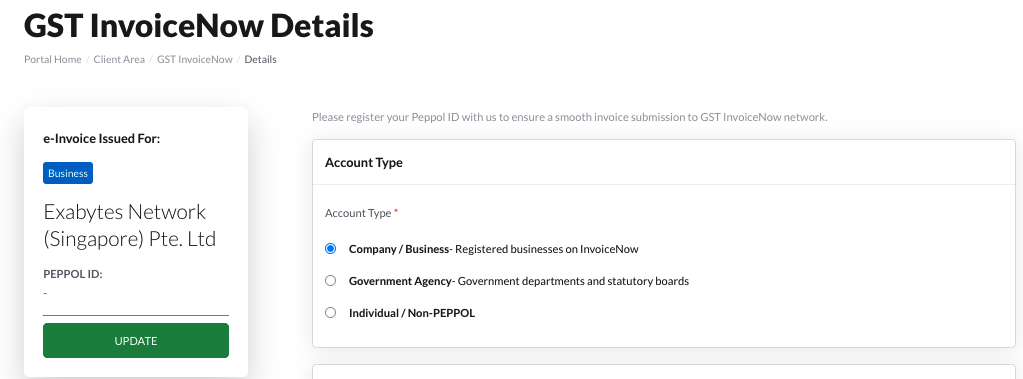
In line with Singapore’s nationwide InvoiceNow initiative, Exabytes Network (Singapore) Pte Ltd is onboarding the InvoiceNow e-invoicing network.
To ensure seamless invoice delivery and compliance, customers are required to update their invoicing details in the billing system.
Step 1: Log in to Your Billing Account
Go to this link and log in with your credentials.
Step 2: Navigate to GST InvoiceNow Settings
From the main menu: Click Billing and select GST InvoiceNow.

Step 3: Select Your Account Type
You will see three account type options as below.
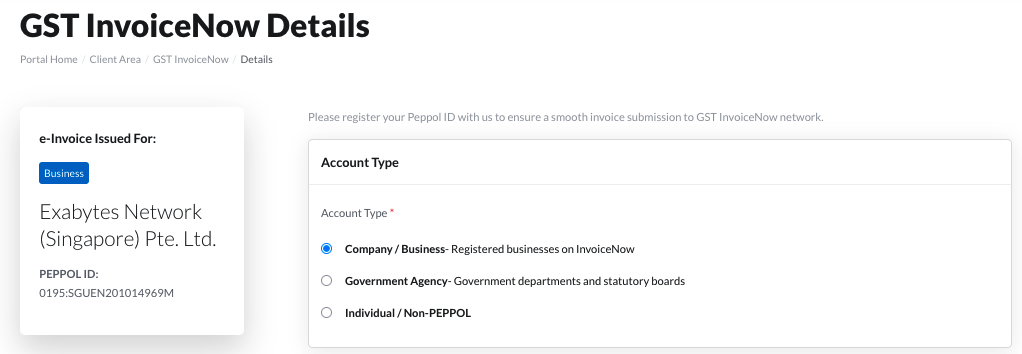
Step 4: Fill in Required Information
| Account Type | Required Information | Details / Notes |
| Company / Business | Peppol ID | Required for businesses registered on the InvoiceNow (Peppol) network |
| Government Agency | Business Unit and Peppol ID | Applicable for government departments and statutory boards |
| Individual / Non-Peppol | UEN / Company Registration Number | i. SG businesses: UEN (from ACRA) ii. Overseas: Business registration number iii. Individuals (non-GST): Enter “NA” |
Peppol ID Format Examples:
0195:SGUEN (Singapore UEN)
0088:XXXXXXXXXXXX (GLN)
Step 5: Verify Organisation Information
Company / Organisation Name: Auto-filled
Email Address: Auto-filled
To edit the aforementioned information, click "click here" to update it.
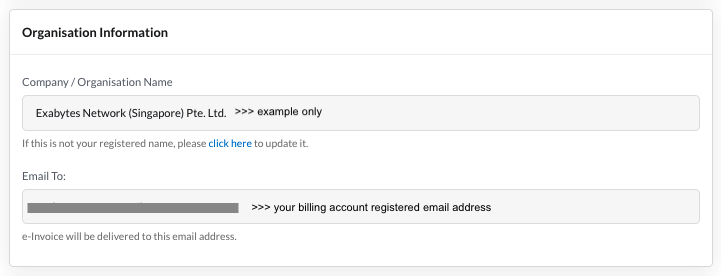
Important:
(i) e-Invoices will be sent to this email
(ii) No changes allowed after e-invoice is generated
Step 6: Save Your Information
Click “Save Information” after completing all fields.
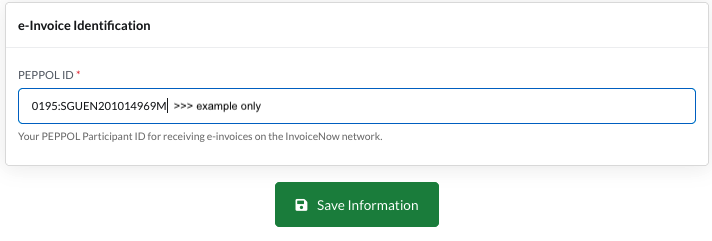
Step 7: Update Information (If required)
Click “Update” on the left panel to edit details.